
You've heard about AI. You've maybe even yelled at a chatbot that couldn't understand why you wanted a refund. But no-code AI agents for small business in 2026 are a completely different animal. They don't just talk — they do. Update your CRM. Send invoices. Label your emails. All while you drink coffee and pretend to look busy.
This guide costs you nothing, requires zero installs, and assumes you can't code your way out of a paper bag. Perfect.
Chatbots Answer. Agents Act. Know the Difference.
A chatbot is like a very patient intern who only reads from a script. Ask it something off-script and it panics.
An AI agent runs what's called a Reasoning-Action loop: it reads a situation, decides what to do, takes action, checks the result, and repeats. A chatbot answers your FAQ. An agent reads the same email, updates your CRM, books a calendar slot, and sends a confirmation — without you touching anything.
By 2026, the standard has shifted to multi-agent orchestration: multiple specialized agents sharing memory and handing tasks off to each other like a weirdly efficient relay team.
The Best No-Account, No-Install Tools Right Now
Privacy-first tools are winning in 2026 because people finally got tired of handing over their email just to try a button.
Top picks for browser-based AI automation:
- Lindy — Best all-in-one for small businesses. Free plan includes 400 credits/month; paid plans start at $19.99/month for 2,000 credits. Connects to Gmail, Slack, HubSpot, and 4,000+ other apps.
- Zapier — Natural language automation for simple, repeatable tasks. Huge integration library, gentle learning curve.
- Make (formerly Integromat) — Visual drag-and-drop builder connecting 3,000+ apps. Great for slightly more complex flows.
For pure prototyping without any account, browser extensions like AgentGPT let you test agent logic in incognito mode before committing to anything.
Build Your First Agent in 10 Minutes (Seriously)
Here's the three-step framework. No drama.
Step 1 — Trigger: What starts the agent? A new email, a form submission, a scheduled time, or a webhook from your website.
Step 2 — Action: What should it do? Draft a reply, update a spreadsheet, route a lead to your CRM, or post a Slack message.
Step 3 — Guardrails: Decide if the agent acts automatically or waits for your thumbs-up. Start with human-in-the-loop approval until you trust it.
Copy-paste prompt template to get started:
"You are my executive assistant. When a new lead email arrives, extract the name, company, and request. Add it to my CRM. Draft a warm reply and wait for my approval before sending."
Three Agent Templates That Actually Save Time
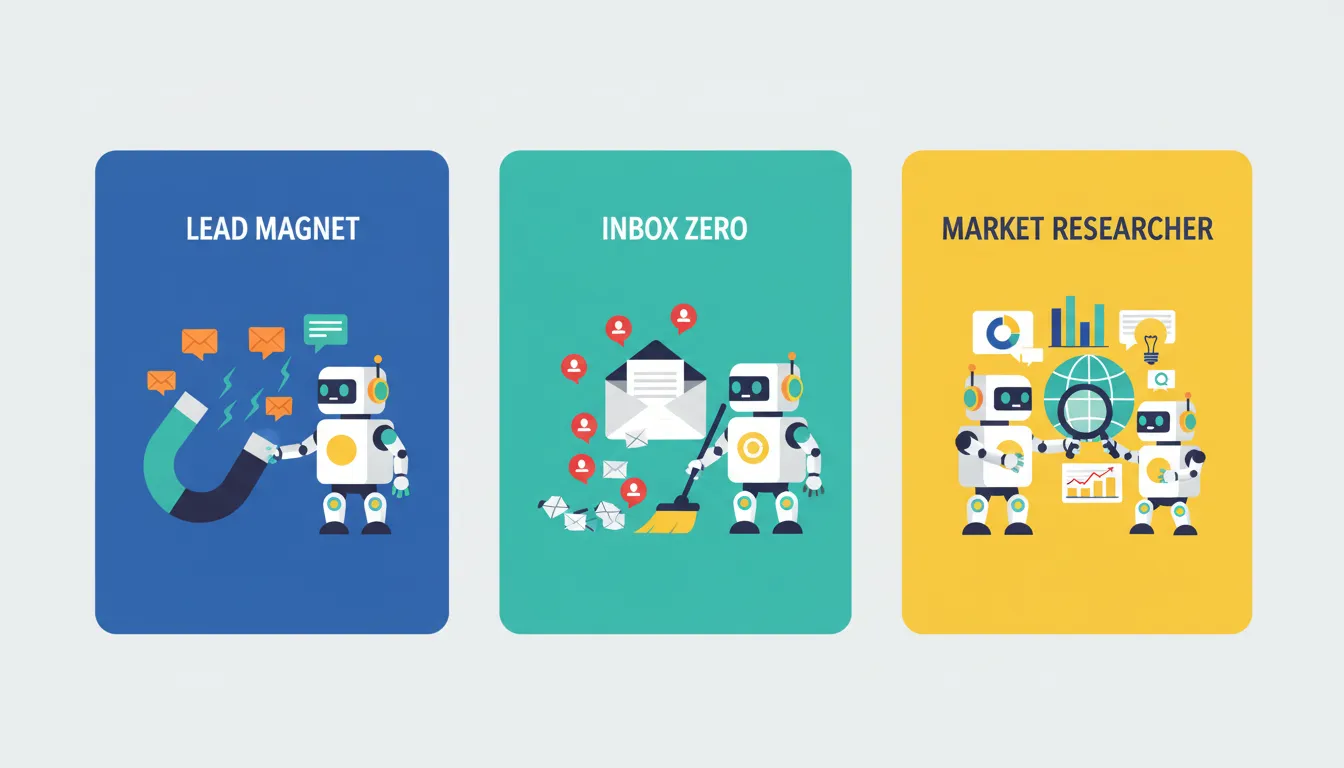
The Lead Magnet Agent: Connects WhatsApp and your website form to your CRM. Every new lead gets tagged, scored, and routed to the right person. Zero copy-pasting.
The Inbox Zero Agent: Uses Lindy to read incoming emails, label them by priority, and draft replies for your review. Your inbox goes from a horror movie to a to-do list.
The Market Researcher Agent: Browser-based agents scrape competitor pricing pages on a schedule and drop a weekly summary into your Slack or email. Competitive intelligence without the consultant fees.
Connect an Agent Directly to Your Browser
Your browser is already open 9 hours a day. Make it work harder.
Chrome and Edge extensions like Sidecar AI or Superflows sit inside your browser tabs and assist with repetitive data entry across legacy web portals — the kind that still look like they were designed in 2003. These "sidekick" agents watch what you're doing and suggest or automate the next step.
Remote workers love these for filling out the same client report fields every Friday. Freelancers use them to auto-populate invoices. If you're copying and pasting data between tabs more than twice a week, a browser agent will pay for itself fast. Use the Salary / Hourly Wage Converter to calculate exactly how much that repetitive work is actually costing you per hour.
Is Your Data Safe? The Honest Answer.
Short answer: it depends on the tool, and you should absolutely check.
Look for platforms that are SOC 2 compliant and offer data encryption in transit and at rest. Lindy and Zapier both meet this bar. For sensitive business data, prefer tools that offer local processing or let you self-host (n8n is a strong open-source option here).
Before feeding any data to an agent, sanitize it: remove customer SSNs, payment details, or anything you wouldn't email to a stranger. Treat the agent like a smart contractor — capable, but they don't need your bank login.
The Real Cost Math
Custom AI agent development can range from $5,000 to $500,000 depending on complexity (AI Agents Plus, 2026). Lindy starts at $19.99/month. That math is embarrassingly one-sided.
Zero-code AI is projected to reduce development costs by 80% and accelerate workflow automation across enterprises by 2026 (The Noah AI, 2026). For small businesses, that means scaling output without scaling headcount.
Run the numbers for your own situation using this ROI Calculator — plug in the hours your agent saves and see what it's worth annually.
Start Today. One Task. That's It.
Pick the single most repetitive task you did this week. Build one agent around it using Lindy's free tier or Zapier's free plan. Don't try to automate your entire business on day one — that's how you end up with a very ambitious broken mess.
If you deploy your agent on a landing page, run your page metadata through the Meta Tag Generator so it actually shows up in search.
You don't need a CS degree. You need 10 minutes and one annoying task you're sick of doing manually.
Frequently Asked Questions
Q: What is the difference between a standard chatbot and an AI agent in 2026? A chatbot responds to questions using pre-set rules or a language model. An AI agent reasons about a situation, takes actions across multiple tools (like your CRM, calendar, or email), and adapts based on results. It's the difference between a vending machine and an actual assistant.
Q: Which AI agent builders allow me to start without creating an account? Tools like AgentGPT and some browser-based extensions let you prototype in incognito mode. For more robust builds, Lindy and Zapier both offer free tiers that require only a basic email signup — no credit card needed.
Q: How can I connect an AI agent to my browser to handle repetitive data tasks? Install a browser extension like Sidecar AI or Superflows in Chrome or Edge. These agents sit inside your tabs, detect repetitive actions, and automate them across web portals without any backend setup.
Q: What are the best free templates for small business automation? Lindy offers prebuilt templates for email triage, lead routing, and meeting scheduling. Zapier has a template library covering hundreds of common small business workflows. Both are free to browse and test.
Q: Is my business data safe when using no-code AI agent tools? Choose SOC 2 compliant platforms, verify data encryption, and sanitize sensitive data before it touches any agent. For maximum control, self-hosted tools like n8n keep your data entirely on your own infrastructure.